

If you want to find something online, you Google it. Although the term has only been part of the modern lexicon for a few years, it has literally transformed how we search for information, images, products, and much more.
But how does the Google search engine actually work? Although the company is notoriously cagey about sharing internal secrets, we do know quite a bit about how the algorithm indexes, sorts, and presents pages.
If you’re like everyone else trying to get a piece of the Google search results pie, this information can help you make better choices regarding your landing pages and site content.
So, with that in mind, let’s dive in and peek back behind the curtain to see how Google search works.
How the Google Search Engine Works
There are three primary components that converge to make the search engine work as well as it does. These elements are:
- Crawling – Google sends armies of bots to find new pages as they pop up on the internet. These bots download page information, including images, text, and videos.
- Indexing – Google probably has one of the most complete index lists of all sites on the internet to date. For a site to pop up in search results, it must be added to the index. During this stage, Google analyzes the data collected by the crawlers and organizes it to index a new site correctly.
- Search Results – When a user puts in a search result, Google’s powerful algorithm uses the data from its index to populate search results pages with relevant information. We’ll dive more into how it knows which pages to rank later on.
While these steps all sound pretty simple on their own, remember that there are millions of websites out there, with new ones coming online every day. Even with such a vast network of servers, bots, and developers, Google can only manage so much information.
What is SEO (Search Engine Optimization): The Complete Guide to Reach Top Google Results
Key Features of Google Search Engine
Everyone knows that Google is the de-facto search engine on the internet, as it dominates over every other option out there (i.e., Bing, Yahoo, etc.). But there’s a reason why Google has over 85 percent of the market share for desktop searches and over 90 percent for mobile searches – it works really well.
Here’s a quick overview of the main features the search engine offers.
Search queries
On average, there are about 40,000 search queries on Google every second. These queries can range from looking up movie times to asking obscure trivia questions to beat the other team at the bar.
What’s so remarkable about these queries is that the algorithm learns how to identify key markers, including:
- Keywords – Google looks for primary and secondary keywords to show the correct information. For example, with “movie showtimes in LA,” “movie showtimes” is the primary keyword and LA is the secondary one.
- Context – If someone is looking up “movie showtimes”, they’re likely trying to find a movie playing today, not tomorrow or three weeks from now. So, Google has to understand the context of the query, even if the user doesn’t provide it (i.e., asking about movie showtimes in LA for today, June 8th).
- Direct Answers – If someone is asking a direct question (i.e., “when was the Declaration of Independence signed?”), Google can provide the answer directly as a snippet without forcing that person to click a link. This way, they can get the information faster without having to visit a site and read through the page to find what they need. Additionally, Google has now started highlighting answers on results pages, so users don’t have to navigate much.

Results pages
Results pages are the links you see after entering a search query. Because Google values relevancy and value above all else, it will place the most valuable and relevant content at the top (below paid ads, though). So, you can feel confident that clicking on the first or second link will take you to a site that is:
- Reputable – Google penalizes sites with improper security features or suspicious addresses
- Authoritative – Google prioritizes sites that have an extensive network of backlinks.
- Informative – The page you’ll go to will have lots of information about your search query, maybe more than you need.
If you’ve ever wondered why some search results feel eerily tailored to your interests, well—sometimes they really are. Google takes into account not just the words you type, but also your location, previous searches, and even device type when deciding what to show you. For better or worse, the personal touch can make research easier or just a little bit uncanny when you realize how much the engine seems to know about your habits. In 2025, this personal context-laden algorithm isn’t going anywhere, and occasionally, you might find yourself missing the simpler, more neutral results from a decade ago. That’s progress, I guess—personalization is both a blessing and a curse, depending on what you’re looking for.
Then there’s the matter of freshness. Google’s algorithm doesn’t just care what’s relevant; it also keeps an eye on timing. For example, search “Olympics” in the summer of an Olympic year and you’ll get breaking news and live content—search the same thing during an off year and you might get historical records or athlete profiles. The point is, recency (and regional trends) shape what bubbles to the top, which means SEO isn’t just about stuffing keywords and hoping for the best. You’ve got to be nimble and think about what’s happening in the world—or your corner of it—right now, not just what made sense yesterday.
Specialized search features
While search results pages are still the most common type of response you get from Google, the search engine has many other specialized tools and features at your disposal. Some of these elements include:
- Maps and Directions – Not only find the closest movie theater to you but also get driving directions for it.
- Images – See images related to your search query.
- Shopping – If you’re shopping for a product, Google can present the top e-commerce sites to buy it.
- Videos – Since Google owns YouTube, you can find videos related to your search. Many of these will also pop up on the results pages.
Overall, when you need to do something online, Google likely has a way for you to complete a task, find information, or locate a specific webpage.
Differentiating Between a Browser and a Search Engine
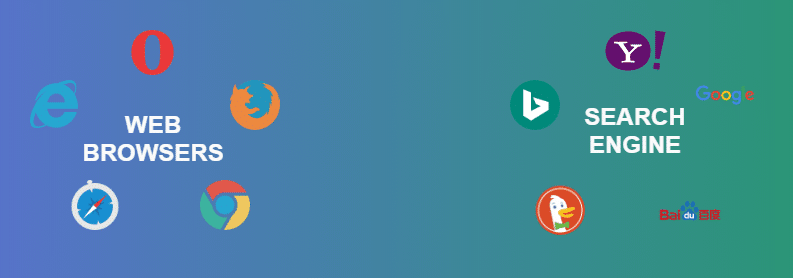
Since Google is typically the default page on a person’s browser, it’s easy to get the two elements confused. Here’s a basic breakdown of the difference between a browser and a search engine:
- Browser – A piece of software that connects a user to the internet. Examples of browsers include Google Chrome, Firefox, Microsoft Edge, Safari, and others.
- Search Engine – A website that filters search results based on a user’s query. Examples of search engines include Google, Bing, Yahoo, and even Ask Jeeves.
Interactions Between Browsers and Search Engines
Although you need a browser to surf the internet, you don’t need a search engine to do that. For example, if you bookmark different pages on your browser, you can switch back and forth between them as needed without ever opening a search engine like Google.
Think of a browser as a car, and a search engine as a map. If you already know where you need to go, you can drive there without any directions (in this analogy, your internet provider is the gas.) However, if you want to find out where to go, you can use a search engine to discover that information.
Basically, you need a browser to operate a search engine, but you don’t need a search engine to operate a browser.
Benefits and Limitations of the Google Search Engine
Although Google is the primary search engine for most users, it’s not 100 percent perfect. Here are some advantages and disadvantages of using Google for all your search-related needs.
Benefit – Tons of Search Tools
It’s hard to believe how simple the original Google site was when it first launched compared to today. Now, there are so many features and tools available that you could spend all your time on Google and never go to another website.
Limitation – Google Prioritizes Paid Ads
There was a time when the top search result was always organic, meaning it earned that spot by being the best option. Now, Google Ads usually take the top few spots, so you have to scroll down for organic results. While the ads are still targeted based on your keyword, they’re not always the “best” option.
Benefit – Better Search Results
Google’s algorithm is so advanced that it can practically finish your search queries for you. Everything delivered by Google is valuable, relevant, and useful, so there’s little need to go elsewhere for that information.
Limitation – Tracking Data
Even if you use incognito mode on Google, the engine still tracks your movements online. So, whenever you use Google, it has your information in a database, no matter what you’re doing.
4 Tips for Effective Google Searches
Although Google is updating its algorithm to be better at understanding user intent and context, there are a few ways to maximize your search results. Here are our favorite options:
Use quotes for an exact match
If you’re looking for a relatively broad keyword, you may want to narrow your results by using quotes around the specific keyword. This way, Google will only show exact matches to that keyword and remove anything you don’t want from the results page.
Search within a specific website
Some websites have tons of pages, and it’s hard to find the right one immediately. To search through a specific site, just type the site name with a colon after it (i.e., rockcontent.com: blog). This way, you can get what you need without having to navigate through multiple pages.
Exclude specific terms from search results
While quotes give you an exact match, a hyphen tells Google to exclude specific terms from search results. This option helps if you’re trying to search for something that has two meanings. For example, if you want to look up the Miami Dolphins but want to exclude any mentions of the animal, you can type “- animal” after your search query.
Find specific file types
Sometimes, you just want a document or file from the internet. In this case, you can type the name of the item and add “filetype: <extension>” with the type of file in the <extension> section (i.e., filetype: PDF or JPG).

