

It’s one thing to successfully drive traffic to your website. Turning them into leads is another challenge altogether.
Whether you offer a blog post, webinar, or downloadable content such as a checklist, you need a clear objective and purpose for generating leads.
And you need a simple yet effective way to do it. Otherwise, you’re wasting a valuable opportunity.
One of the simplest yet strategic ways to generate those leads is to include a lead form on your site.
This lead generator may be a contact form, registration box, or subscription sign-up field.
Whichever you choose, know that with it, you can turn website visitors into leads and have a higher chance of boosting lead conversions as well.
Whether you currently have a lead generation form on your website that is not performing well or are only beginning to add one to your site, here is what you need to know.
Why Do You Need a Lead Generation Form on Your Website?
Competition continues to increase each and every day. You need to reach a wider audience and also generate more leads if you want to be successful.
By including a lead generation form on your website, you keep a consistent option available to visitors, allowing you to build your list of leads and email addresses along the way.
The leads you gain from these forms will also be high-quality ones, that is, ones more likely to make a purchase from you soon or in the near future.
How Does a Lead Generation Form Work?
A lead generation form works by providing some type of incentive to capture the attention of your visitors and entice them to opt-in and provide their contact information.
Such incentives might include:
- A discount on purchases.
- Updates on future sales and events.
- Subscription to an interactive newsletter.
- Downloadable white paper, eBook, or other document.
- Free game to play or free trial.
The data you capture as a result can go into your CRM or marketing platform and become part of your digital marketing strategy planning.
Types of Lead Forms
Lead generation forms come in various types, with the most common ones being as follows.
1. Inline Forms
Inline forms are embedded within your webpage content. You can include them anywhere, from a landing page to the contact page of your website.
You have a great bit of flexibility with this type of form, including the ability to revise the number of fields that visitors are to enter information any time you choose to.
For example, you can ask for contact information along with information on the size of the company they work for or what state they reside in.
Always have a reason for asking for such specific data and let it benefit your content marketing strategy.
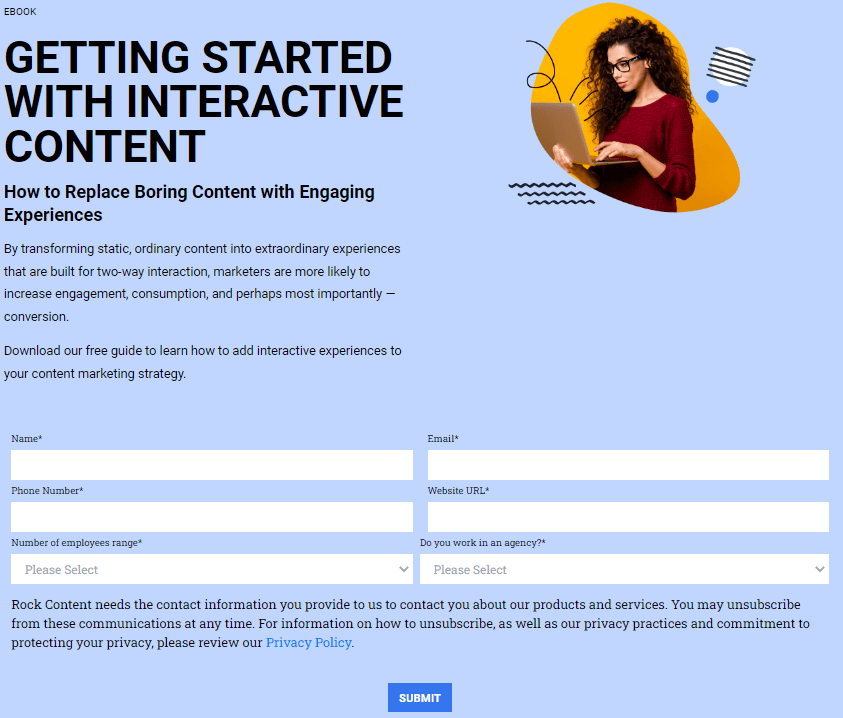
If you’ve ever scrolled halfway down a blog post and found a gentle form nudging you to sign up for a newsletter, you’ve seen the inline approach at work. Sometimes those forms feel like perfect timing, catching your interest mid-article when you’re already invested. Other times… well, they can just feel like yet another prompt cluttering up your reading experience. The secret really lies in placement—if you actually listen to your readers’ habits, you’ll get much better results than simply plopping a form every few paragraphs. There’s a reason so many marketers run A/B tests here.
Of course, when you’re building these forms, it’s easy to get overly ambitious and ask for too much info upfront. Resist that urge. You can always ask for more specifics later if you nurture the lead properly. Get them to raise a hand first, and don’t make it a chore. People have the attention span of a goldfish in 2025—asking for a zip code, two phone numbers, and a LinkedIn profile just to download a checklist is just, well, optimistic to say the least.
That being said, gathering useful information doesn’t mean you need to overcomplicate things. A name and a single contact detail are often enough to get the conversation started. If you hit people with too many questions right out of the gate, you’ll see your conversion rate nosedive—nobody sticks around for a quiz when all they wanted was a simple PDF. And besides, trust is built in stages, not all at once. Once folks see value, they’ll be happy to offer more.
On the flip side, there’s a weird comfort in minimalism for visitors. If your form is clean, clear, and short, it signals you respect their time—not to mention, it just looks better. Nobody enjoys seeing ten asterisks at once. Maybe that’s why most high-performing in-line forms, based on what’s visible across top SaaS and eCommerce sites in 2025, just ask for a first name and email. Keep the bar low for entry, and you might be surprised at how many will leap.
2. Floating Bar Form
The floating bar lead generation form permanently sits at the top or the bottom of the webpage, staying put even when the website visitor continues scrolling.
These forms are usually simple and unobtrusive to the visitor’s experience on your site and usually only include one or two fields at most.
They are perfect for obtaining email addresses to add to your growing list of high-quality leads.
3. Floating Box Form
Similar to the floating bar form, the floating box form sits or floats in a permanent spot on a webpage, even when scrolling.
Where it differs is in its size. The floating box form has a slightly bigger layout, so you can add more fields and gather more pertinent information about your website visitors if you so choose.
These particular forms often show up when the viewer lands on your webpage or any other time you specify. You can also select where it displays on the page and determine if certain fields will be required.
Customize the box form with your logo, selected colors, and any particular style that represents your brand.
4. Modal Form
A modal form is essentially a pop-up lead generation tool. As a visitor browses the webpage, it pops up, enticing them to provide their information.
For example, when your visitor lands on a page, after a short delay, the form pops up. This attention-grabbing form creates an incentive for supplying an email address, offering them something in return.
This incentive can be a welcome to the website and the offer of 10% off their first purchase once they supply that email address. Visitors will need to close a pop-up or input their information in order to continue.
It’s essential, however, to ensure these pop-up forms do not interfere with a good customer experience. Many visitors may find them annoying and leave your site.
While this still may happen, modal forms are highly effective and can lead to an increase in conversions and ultimately more sales.
So, make sure you have an incentive too good to pass up, giving visitors a reason to provide you with their information.
5 Lead Generation Form Examples
To help show how simple yet effective lead generation forms can be, here are five examples of how companies are already making the most of them.
These companies may change their forms periodically, but this list shows how they successfully used this strategy at some point and gained more leads.
1. Dropbox
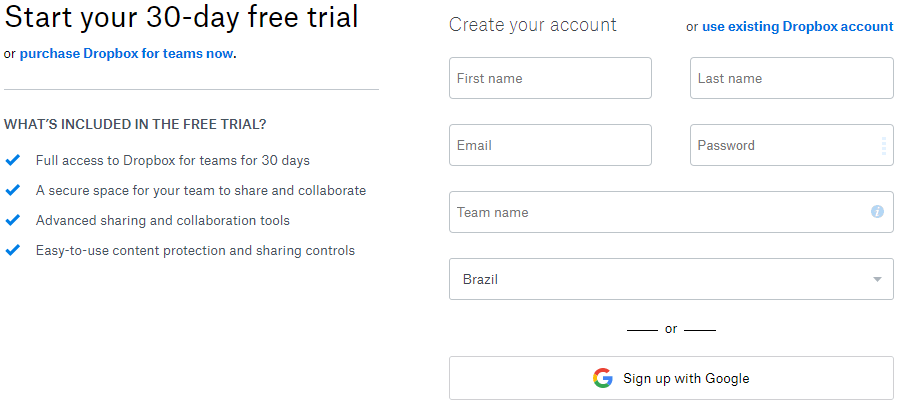
Dropbox, a file hosting service, uses a lead generation form reachable via the company landing page.
A visitor will need to click on the CTA button and then be taken to the form where they will fill out the fields. The form also allows the user to take fewer steps by easily signing up with their already established Google account.
2. SnackNation
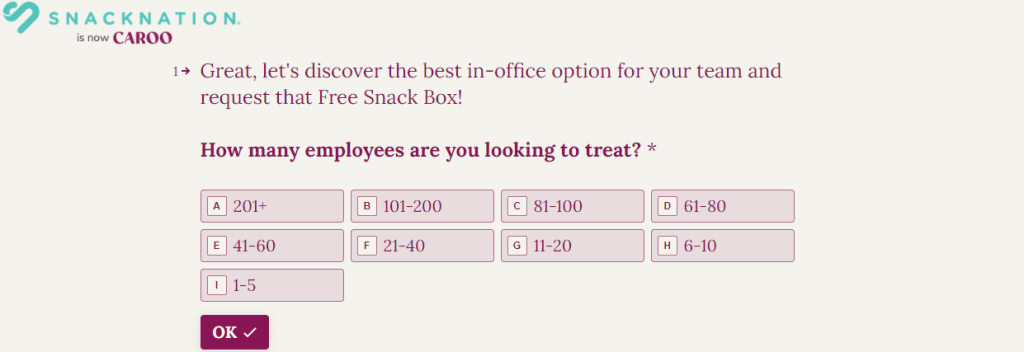
SnackNation, a healthy snack delivery service to businesses, took a simple approach by creating “yes or no” forms to engage audiences.
The visitors click on a response and, in turn, personalize their buyer’s journey.
With the use of personalization, including personalized questions, the lead type is identified and sent to a relating webpage or another form.
3. Oracle
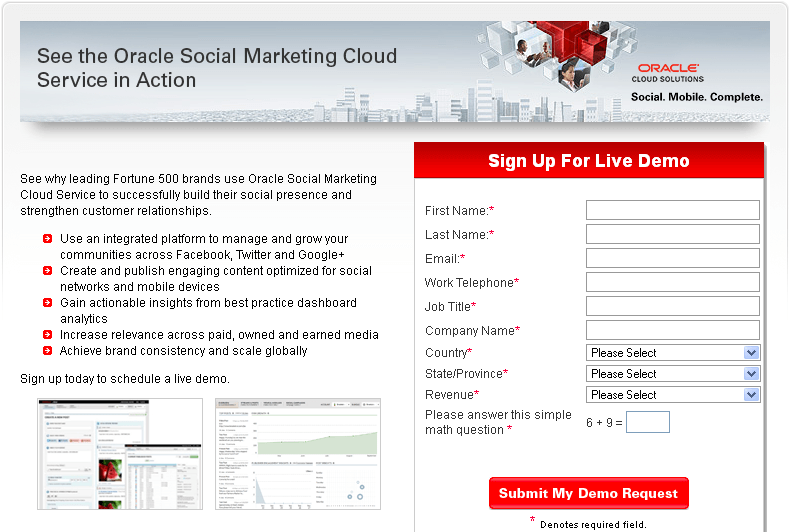
Oracle, the computer technology corporation, took a unique approach utilizing valuable social proof to engage visitors on its website.
Positioned to the side of a product description, the form includes a narrative about the reasons why so many successful companies already use it, creating trust and credibility in the mind of the viewer.
In other words, they use this social proof to entice visitors into signing up.
Also, asterisks are included to show which fields they are required to fill in to move forward.
4. Unico Nutrition
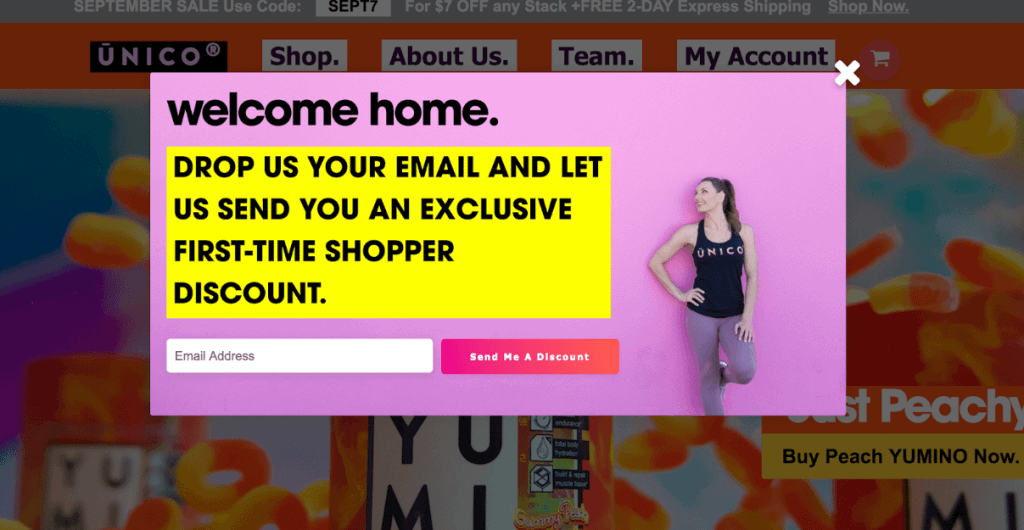
Supplements provider Unico Nutrition went with two separate lead generation forms to attract visitors at different times while on its website.
The first one is a modal form (pop-up) and displays immediately upon arriving at a webpage, making an offer for a discount code in exchange for an email address.
Once the visitor clicks on the CTA button, they are taken to a landing page where they are shown a new customer sign-up form. The page also has another form for current customer logins.
5. Medium
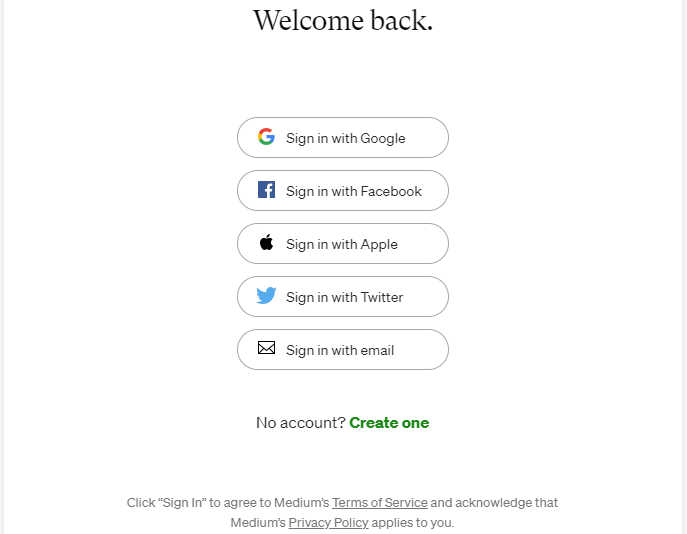
Medium, an online publishing platform, targets its website visitors based on browser cookies. For those that are returning visitors, a customer campaign is displayed.
Browser cookies allow you to customize your message based on whether website visitors are new or returning.
Medium also uses a pop-up form that allows you to sign in through your Google account.
You may also be interested in these articles:
- Boost Conversions with These 12 Email Marketing Lead Generation Techniques
- Agency Leads: How to Boost Lead Generation for Your Digital Agency
- Demand Generation vs Lead Generation: The Difference Explained
[/rock-biblioteca]
Wrap Up
A lead generation form can be a high-converting tool as long as you find a way to entice your visitors.
Offer something of particular value to them, such as a free quote, downloadable white paper, discount code, or anything else you know your audience would like.
As a result, your website visitors are more likely to opt-in and give you their contact information. You then gain higher quality leads to focus on throughout the nurturing process and buyer’s journey.

